
Carousel messages
Carousels line up multiple rich cards side by side, allowing users to compare items and react to each individually. Rich cards within carousels must conform to the same content and height requirements described in the Rich Cards documentation.
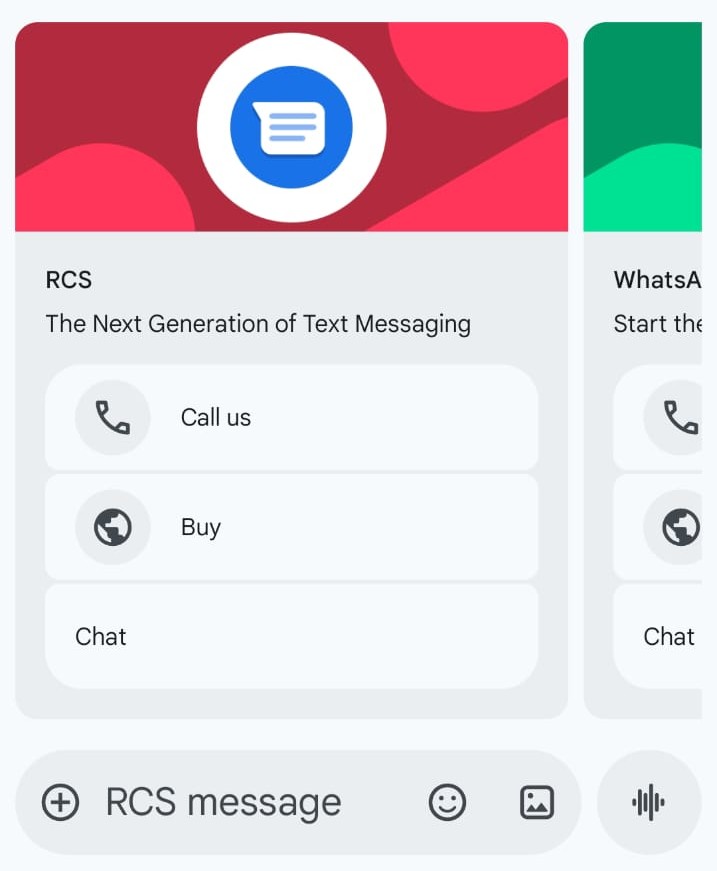
Carousel Requirements
- Minimum cards: 2
- Maximum cards: 10
Card Contents
Each card in a carousel can contain:
- Header
- Text
- Image
- Button(s) (Max. 4 suggestions per card)
Card Width
CardWidth can be set to either "small" or "medium".
Carousel message example
{
    "messages": {
        "msg": [
            {
                "from": "RCS Sender Name",
                "to": [
                    {
                        "number": "0031612345678"
                    }
                ],
                "allowedChannels": [
                    "RCS"
                ],
                "body": {
                    "content": ""
                },
                "richContent": {
                    "conversation": [
                        {
                            "carousel": {
                                "cardWidth": "Medium",
                                "cards": [
                                    {
                                        "header": "CM.com - Be part of it.",
                                        "text": "Want to know more about CM.com?",
                                        "media": {
                                            "mediaName": "cm-tablet.jpg",
                                            "mediaUri": "https://www.cm.com/cdn/web/opengraph/cm-default-og.jpg",
                                            "mimeType": "image/jpeg"
                                        },
                                        "suggestions": [
                                            {
                                                "action": "OPENURL",
                                                "label": "Visit CM.com",
                                                "url": "https://www.cm.com/"
                                            }
                                        ]
                                    },
                                    {
                                        "header": "CM.com - Customer Satisfaction",
                                        "text": "17 Ways To Enhance Your Customer Satisfaction",
                                        "media": {
                                            "mediaName": "customer-contact-channels.png",
                                            "mediaUri": "https://www.cm.com/cdn/web/blog/content/customer-contact-channels.png",
                                            "mimeType": "image/png"
                                        },
                                        "suggestions": [
                                            {
                                                "action": "OPENURL",
                                                "label": "Visit CM.com",
                                                "url": "https://www.cm.com/blog/17-ways-business-messaging-enhances-your-customer-satisfaction/"
                                            }
                                        ]
                                    }
                                ]
                            }
                        }
                    ]
                }
            }
        ]
    }
}
Updated about 1 month ago
Did this page help you?