
Diagrams
Create a Klarna transaction
The CM.com Online Payments API enables you to create a Klarna transaction. The diagram below presents the interaction that takes place between Consumer, Merchant (You), CM.com Online Payments API, and Klarna when creating a Klarna transaction:
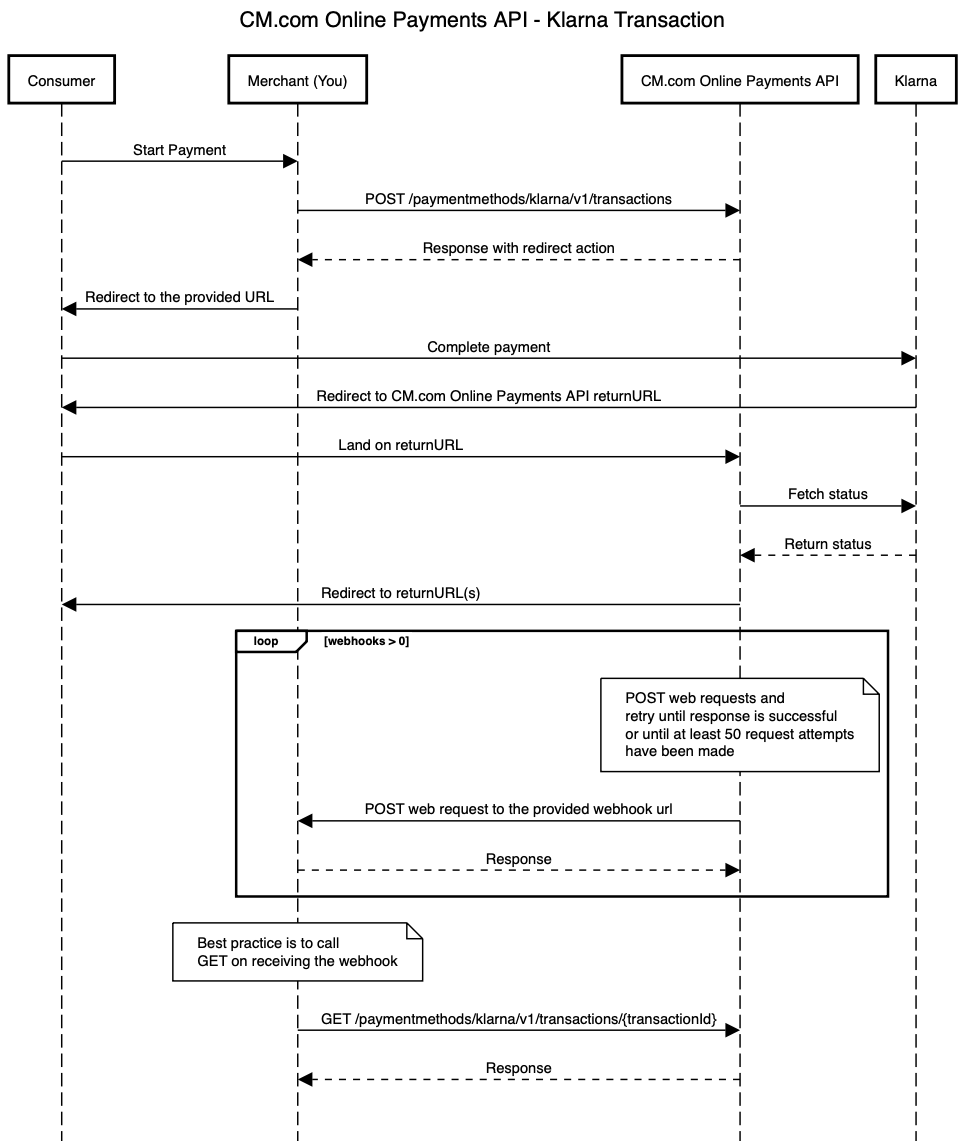
In the diagram above the following steps are performed:
- Consumer wants to start a payment.
- Merchant makes a request to create a Klarna transaction.
- Merchant receives a successful response and redirects the Consumer to the provided URL.
- Consumer completes the payment, and eventually is redirected to the CM.com Online Payments API returnURL.
- When the status of the Klarna transaction is updated on the CM.com Online Payments API, the Consumer is redirected to the return URL that the Merchant specified in the original request to create the Klarna transaction.
- If the Merchant also specified webhooks in the original request then CM.com Online Payments API will trigger the proper webhooks and make the requests to the webhook URLs specified by the Merchant. When using webhooks, be aware that they are only a "best effort" mechanism.
- Merchant gets the latest details of the transaction. This usually happens once the Merchant received a webhook request.
The API endpoints involved on this flow are:
Create a refund for the payment made with a Klarna transaction
The CM.com Online Payments API enables you to create a refund for the payment made with a Klarna transaction. The diagram below presents the interaction that takes place between Merchant (You) and CM.com Online Payments API when requesting a refund for the payment made with a Klarna transaction:
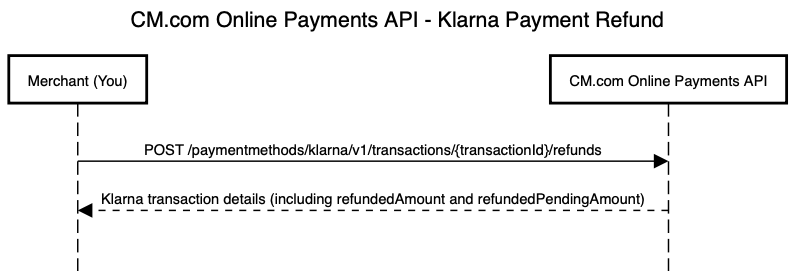
The API endpoints involved on this flow are:
Updated over 1 year ago
Did this page help you?